

Buffalo’s line of LinkStation NAS (Network Area Storage) devices offers a reliable and scalable high capacity shared storage solution for home or business. Did we mention its Bittorrent and TorGuard compatible? The LinkStation’s built in Bittorrent client fully supports anonymous proxy for a completly safe torrenting experiance. It’s like having your very own personal anonymous seedbox.

We’ll show you in a few steps how easy it is to configure your BUFFALO LinkStation with a TorGuard anonymous proxy.
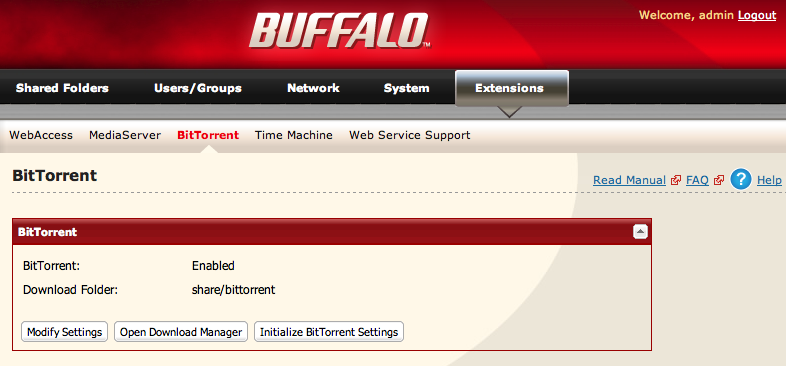
1.) First, login to your BUFFALO Web Admin area, click “Extensions” then Bittorrent. Make sure that Bittorrent is set to “Enabled”, if it isn’t, click Inistialize Bittorrent settings. Once it’s enabled, click “Open Download Manager” to open Bittorrent.
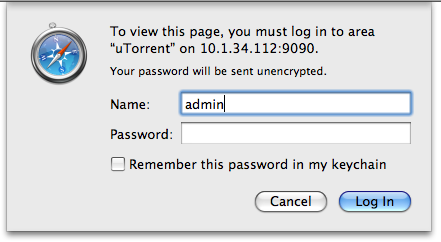
2.) User the default username “admin” leaving the password blank, click Login.
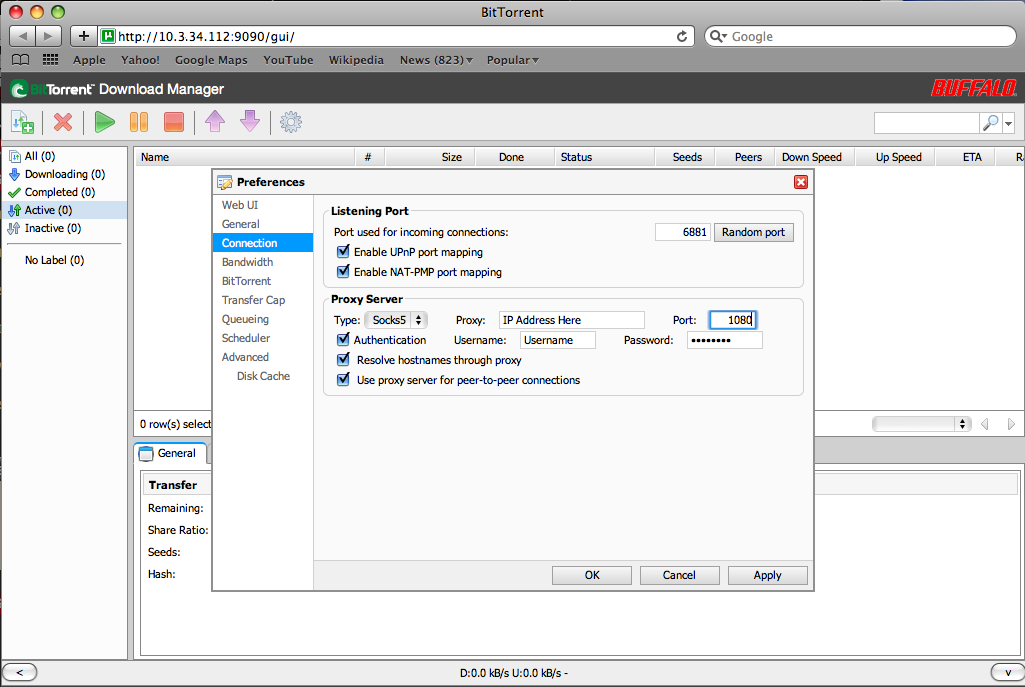
3.) Here is your Bittorrent Manager. To access the connection settings click the options button on the top toolbar. (This download manager is active even when your computer is turned off, making for an excellent anonymous bittorrent experience.

4.) In the preferences, Click Connection. Change “type” to socks5, and the port to 1080. In the proxy text box paste the anonymous torrent proxy IP address you’d like to use from the TorGuard activation email. Enter the username and password also contained in the activation email. Ensure all three boxes, Authentication, Resolve hostnames and use proxy for peer-to-peer are checked. Click Apply, and OK.
That’s it! You now have a secure Buffalo NAS storage device that is setup for Anonymous Torrent usage.