

TorGuard’s anonymous proxy service is not just for the avid Bittorrent enthusiast. In this tutorial we’ll show you how easy it is to setup a TorGuard anonymous proxy with the popular Firefox plugin FoxyProxy.
Foxy Proxy is a very easy and effective way to tunnel firefox web browsing traffic through an anonymous TorGuard web proxy. This can provide faster streaming speeds than VPN service and doesn’t require any special VPN software installation. If you need to watch the big game or stream netflix behind a corporate or school firewall, this is a great option. Since a proxy simply provides IP masking and no encryption, it is very easy to max out bandwidth on any connection speed.
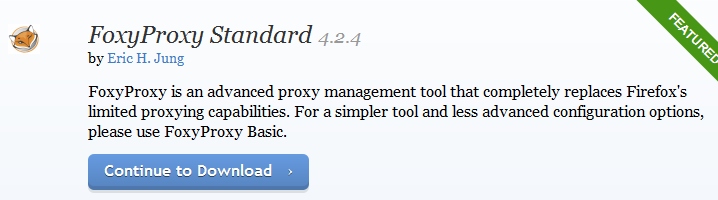
First, visit the FoxyProxy plugin page and download Foxy Proxy to your firefox web browser:
After the install you will be prompted to restart the firefox browser session.

Next, click the Foxy Proxy icon next to the URL and click “Options”.
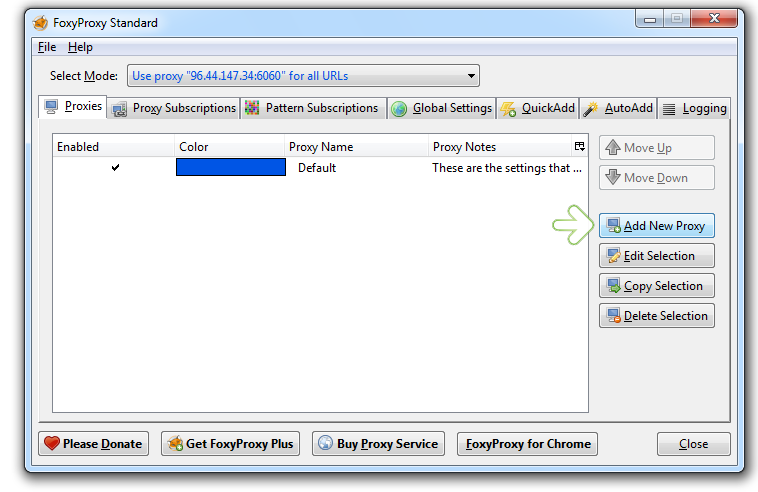
This will bring up the FoxyProxy settings menu as seen below. Click the Add New Proxy button to add a TorGuard Anonymous Proxy:
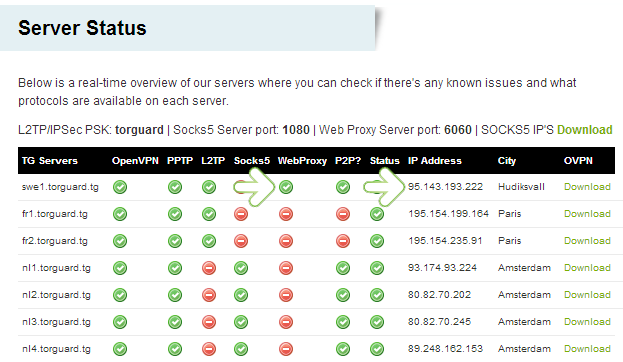
Before adding the anonymous proxy server, we need to choose the IP to connect to. Visit TorGuard’s server status page and choose the web proxy from the server connection list. Please note we will be copying the IP address of the server that features a green “check” under the web proxy column. For this example we chose a proxy server located in Dallas, Texas in the USA.
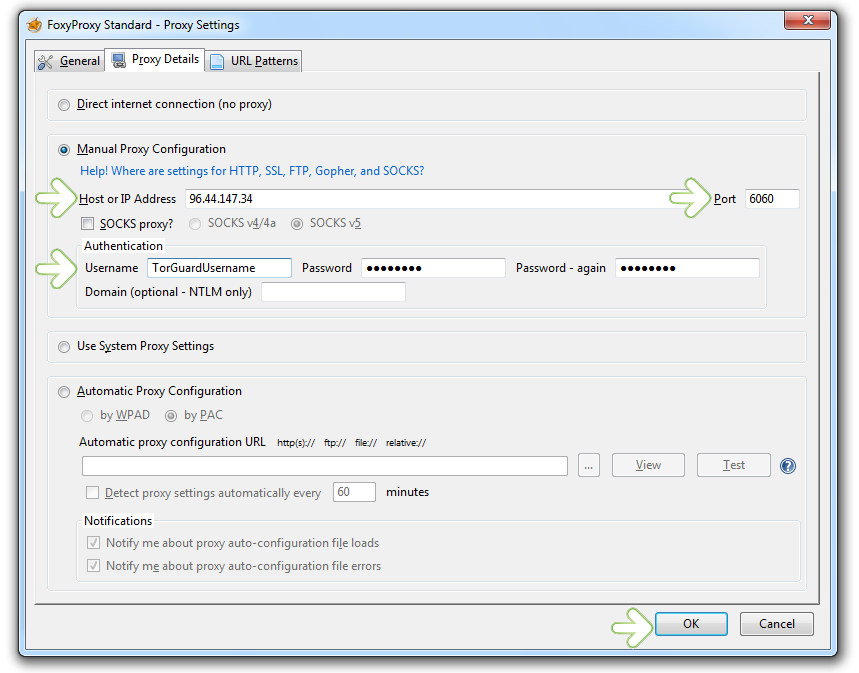
Back on the FoxyProxy server settings page paste the anonymous proxy IP under “Host or IP address”. For port, enter “6060”. Under authentication, enter in your TorGuard anonymous proxy username and password chosen during signup. Click OK.
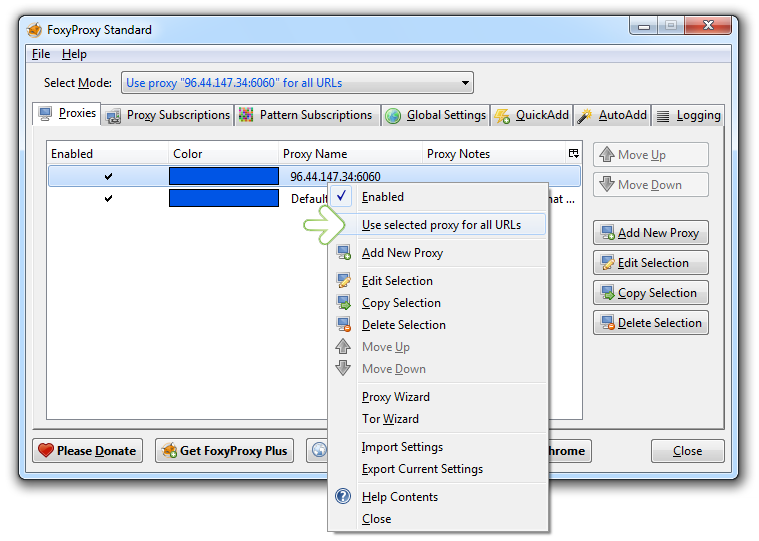
This will return us back to the FoxyProxy settings page. Right click the newly added anonymous proxy server and select “Use selected proxy for all URL’s”. This will ensure any website visited within Firefox will be tunneled through the anonymous proxy IP address.
To verify all is working, load up DNSleaktest.com and verify the browser’s IP address. You should see the same IP address we entered into the FoxyProxy settings panel:

That’s it! You are now successfully tunneling your entire web session through an anonymous proxy.
Buy TorGuard anonymous proxy service for just 3.99/month and get unlimited bandwidth and speeds!