TorGuard is now supporting IPsec VPN protocol. This tutorial is part of a new series of how-to’s that show how to configure an IPsec VPN tunnel on any device.
The term IPsec is short for IP Security, a set of protocols developed by the IETF to support a secure exchange of packets at the IP layer. IPsec has been deployed widely to implement Virtual Private Networks (VPNs) and is built into many popular devices.
To setup an IPsec VPN tunnel on your iOS enabled device, just follow these instructions below:
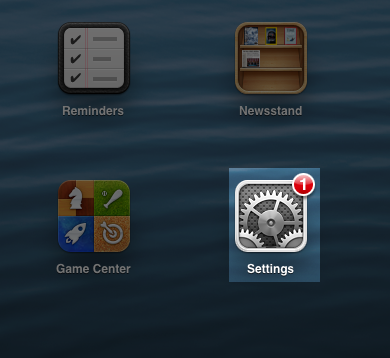
Step 1.) Access the settings menu:
Step 2.) Tap VPN under settings and select “Add VPN Configuration…” on the right hand panel:

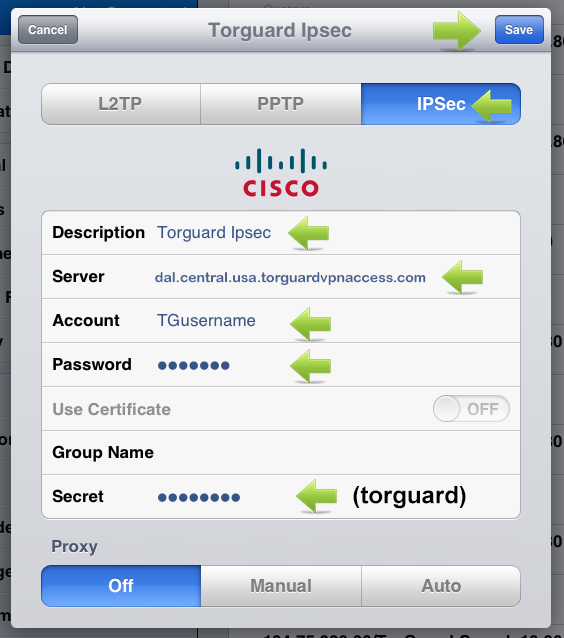
Step 3.) Enter the following info to setup the iOS IPsec VPN service:
- Tap IPSec
- Description – Enter “TorGuard IPsec”
- Server – Enter “cisco.torguard.tg”
- Account – Enter your TorGuard VPN Username
- Password – Enter your TorGuard VPN Username
- Secret – Enter “torguard”
- Tap Save
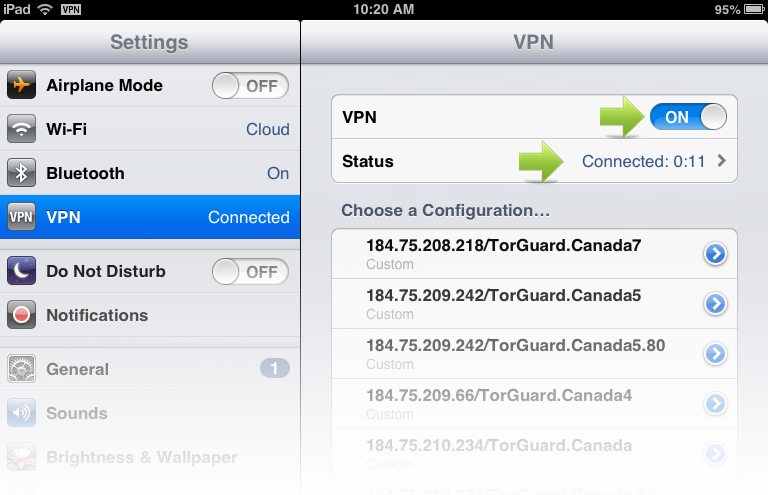
Step 4.) Next, Tap the newly created VPN profile “TorGuard IPSec” in the right panel. Then tap the ON/OFF switch to turn the VPN on. Shortly after you should see a connected message under status.