


Today, TorGuard is excited to announce the launch of its third Private VPN Cloud application: SimpleX Server. SimpleX is a secure messaging platform designed to provide a private alternative to popular centralized messaging apps such as Telegram, Signal, and WhatsApp. Unlike these conventional platforms, SimpleX champions user confidentiality and zero spam by avoiding traditional user identifiers like phone numbers or simple usernames. Furthermore, it ensures that message content is stored locally on your device rather than on a centralized server, bolstering security and privacy.
SimpleX operates using the Simple Messaging Protocol (SMP), a robust network protocol specifically chosen for transmitting encrypted messages. What sets SimpleX apart from other secure messaging applications is its unique feature that allows users to host their own SMP server. This capability means that instead of relying on the default servers provided by SimpleX, which are free, you can control your own messaging server. This added level of control provides a suite of configuration options tailored to your specific privacy needs. Additionally, SimpleX supports group chat functionality, an essential feature for businesses or teams committed to maintaining stringent confidentiality in multi-user communications. This is particularly relevant in an era where platforms like Slack have been reported to utilize user messaging logs to train artificial intelligence models.
How does SimpleX fit with VPN?
You can certainly utilize TorGuard’s SimpleX app hosting as a standalone service; however, integrating it with our WireGuard VPN service offers numerous benefits, especially for teams that need enhanced IP security. TorGuard’s unified control panel simplifies the management of firewall settings, enabling not only password authentication but also the ability to whitelist dedicated VPN connections or static IPs, while blocking all other external traffic. This configuration ensures that only users on networks you have pre-approved can access your SimpleX chat server, adding an extra layer of privacy.
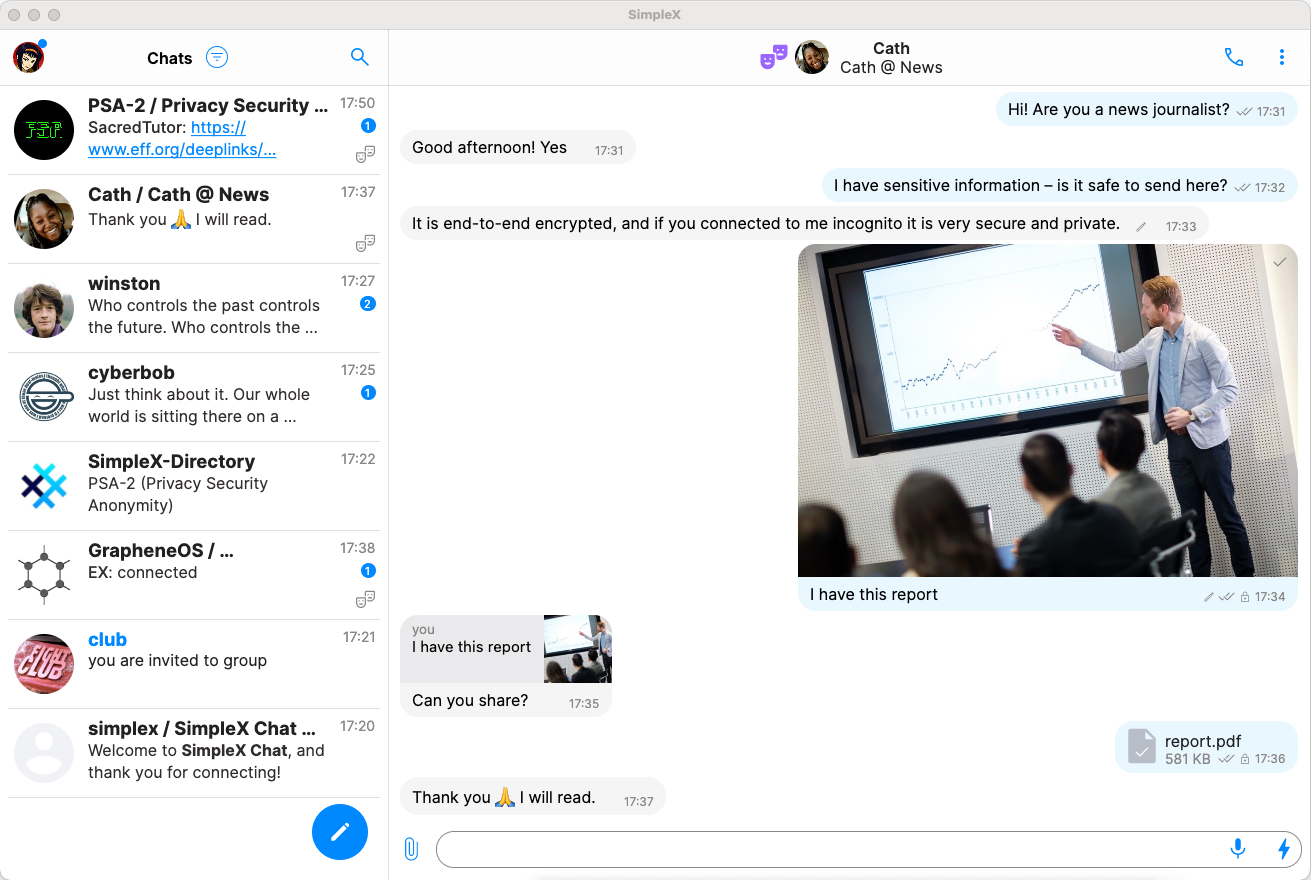
One of the most significant advantages of combining SimpleX with WireGuard is evident with the recent launch of the SimpleX desktop application. SimpleX messaging, which does not store any information on central servers, relies on mobile devices configured for each user. For the desktop and mobile applications to synchronize conversations, both must be connected to the same WiFi network. This setup is convenient at home but less so when traveling or using business networks. By deploying your SimpleX server alongside a WireGuard node provided by TorGuard, you can link your server directly to SimpleX. This setup allows any VPN peers or devices connected to your VPN server to seamlessly sync messages with the SimpleX desktop app. The VPN not only offers enhanced privacy through an additional layer of encryption but also provides greater control over network traffic. This means you can restrict SimpleX functionality to your WireGuard VPN network if necessary, ensuring a more secure and private communication environment than what typical WiFi networks offer.
How to Deploy your SimpleX SMP Server
To begin self-hosting your own SimpleX SMP (Simple Messaging Protocol) chat server, start by purchasing the Private VPN Cloud app service from TorGuard and selecting SimpleX. Deployment is immediate, and you will receive a confirmation email verifying service activation shortly after your purchase.
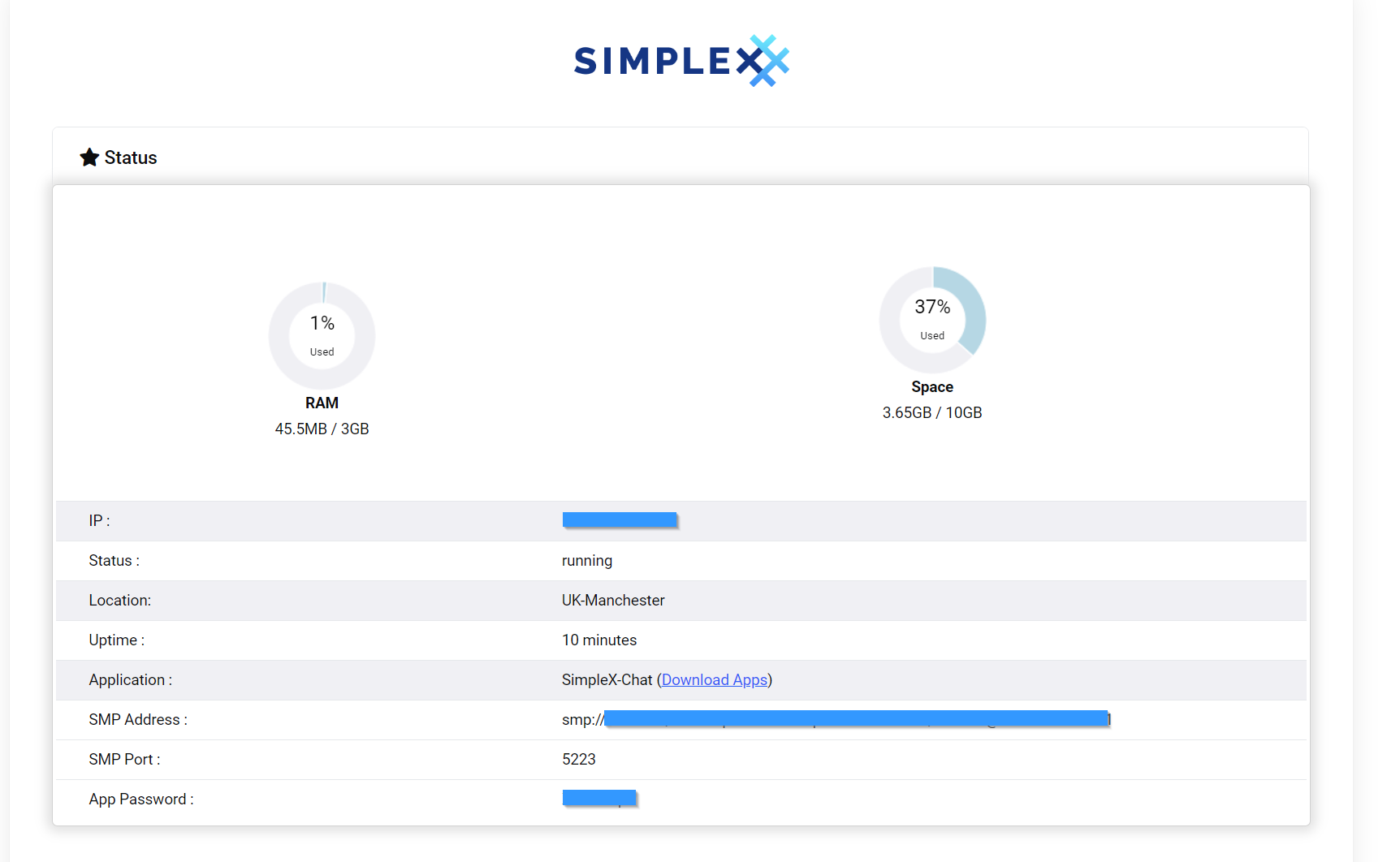
Once your service is activated, log in to the TorGuard members area and select your SimpleX service. Here, you will find details such as your SMP server address and password.

Next, download the SimpleX mobile application from Google Play or the App Store. Upon launching the app, tap the settings menu in the top left corner, select "Network and Servers," and then choose "SMP Servers." This menu will display a list of available SMP servers. Initially, the default SimpleX servers will be listed. To add your self-hosted server, tap "Add server" and input the SMP server information you obtained from the TorGuard members area. Select "Test" to ensure everything is functioning correctly; once confirmed, save the settings.
If you prefer to exclusively use your self-hosted SMP server, you can remove the default SimpleX SMP server settings from the app to ensure they are not utilized. This customization allows you to maintain greater control over your messaging environment, as you now self-host your own messaging server for SimpleX.
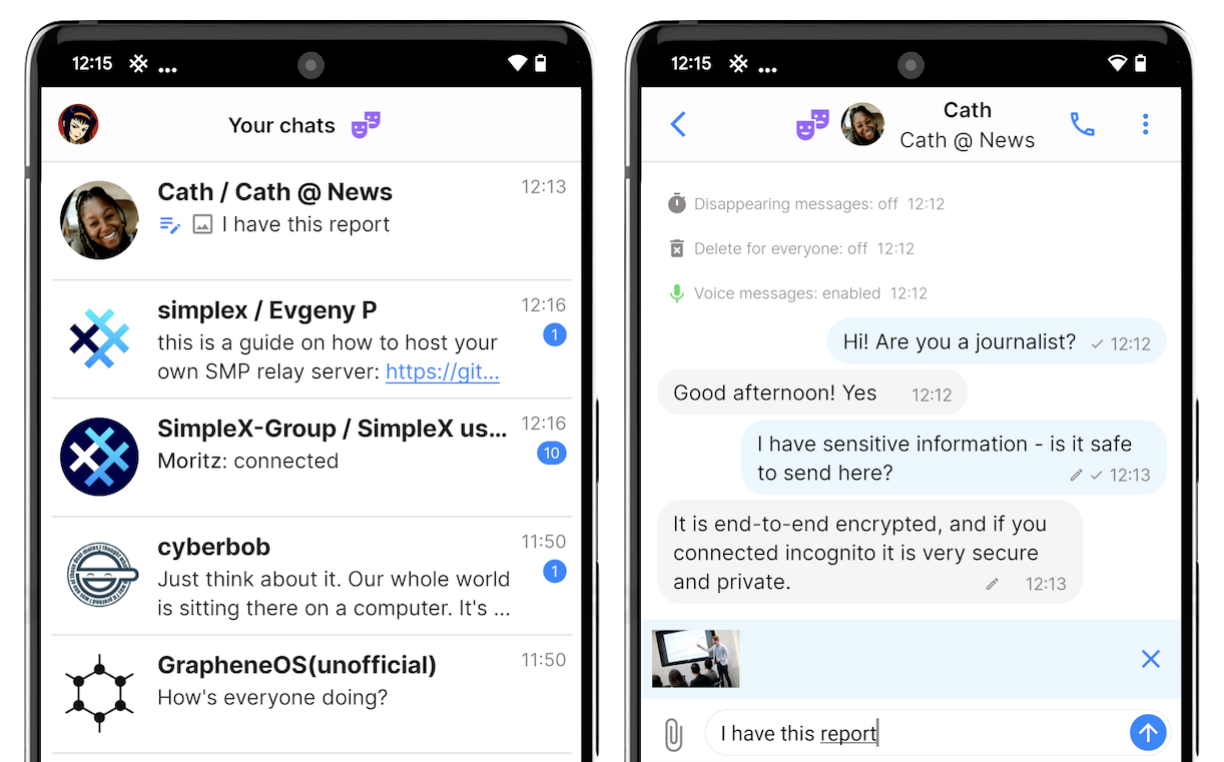
SimpleX SMP Server now joins the growing list of Private VPN cloud apps that TorGuard offers, including Pi-hole and Wazuh. Our goal is to provide you with an easy-to-use infrastructure for deploying your own dedicated WireGuard VPN server over which you have full control. We complement this with privacy-focused apps that you can optionally connect with your VPN server. By integrating these tools, TorGuard enables you to improve your security and privacy, ensuring that you have all the necessary resources to manage your online presence effectively and securely.