

Many of us know about BitTorrenting, (or commonly referred to as torrenting), as a way of downloading content. It’s as simple as clicking add torrent, and then your BitTorrent software loads the tracker into the software and your files start appearing. The actual system, or protocol, is called BitTorrent, but the software can be called many things.
While the peer-to-peer system of BitTorrent is great for sharing large amounts of data, it’s not without its faults in terms of privacy. Internet Service Providers, and third party monitoring groups can watch your activity, and log everything you download! Besides security concerns, a lot of BitTorrent applications just plain suck.
A lot of people think that torrenting itself is the popular software Utorrent, or the similar program, Bittorent. Given that the names are so analogous to the protocol of BitTorrenting itself (perhaps on purpose) it’s not surprising that some come to that assumption. Let’s discuss the pros and cons of the most popular torrent software so that you can make an educated decision on which software to use!
Vuze
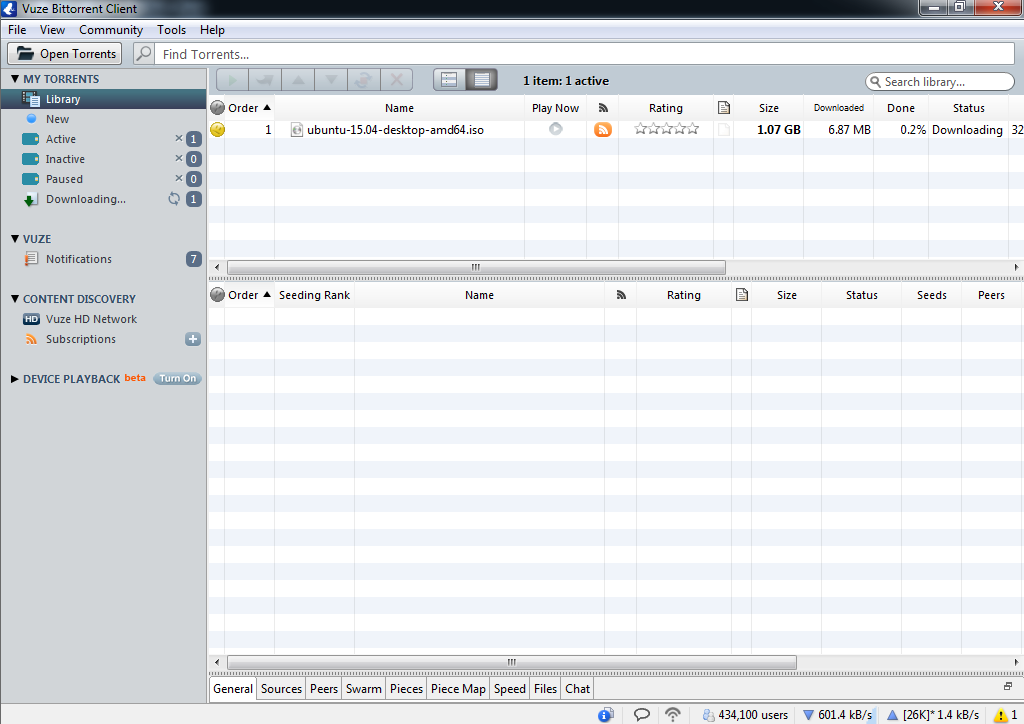
Vuze is one of the oldest BitTorrent clients around. It released in 2003 and has had plenty of time to incorporate some great features into the client.
Vuze can bind to your VPN adapter, which makes it very easy to make sure you are only downloading content when your computer connects to the internet through a VPN. The application also comes with plug-ins, remote access, and advanced features like statistics and visualizations, file conversions, content discovery, and lots of other features made for the power user.
While Vuze has a ton of features, it doesn’t feel as quick or efficient as some of the other BitTorrent clients. It uses more system memory than other applications, and the interface seems outdated and clunky. It’s also not afraid to try to bundle additional programs into the install that can invade your computer or annoy you with advertisements
However, there is also a smaller version of Vuze, which is more of a minimalistic approach to BitTorrenting. It’s called Vuze Leap (which doesn’t have ads like it’s bigger brother Vuze), and with this program you can directly download files without any extra hassles.
Unfortunately, for those looking to stay loyal to Vuze through Vuze Leap, you might be out of luck if you are looking to BitTorrent cross-platform, as it’s only available for Windows.
Deluge
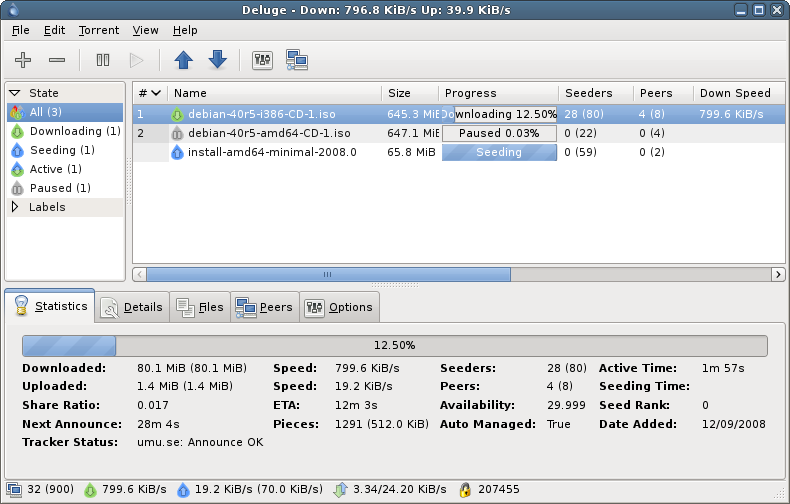
Where Vuze is complicated, dense, and full of complex features, Deluge is light, open source, and easy to install. It’s the perfect BitTorrent application for someone who just wants to get things downloaded quickly and efficiently.
Deluge resembles uTorrent in its interface, and while it seems simplistic, it also has some great features inside that can be useful.
It has local peer discovery, proxy support, support for private torrents and many first-party plugins also come pre-installed that can limit bandwidth or import blocklists. It’s also easy to install third-party add-ons for additional tinkering. It’s also available cross-platform.
Bittorrent
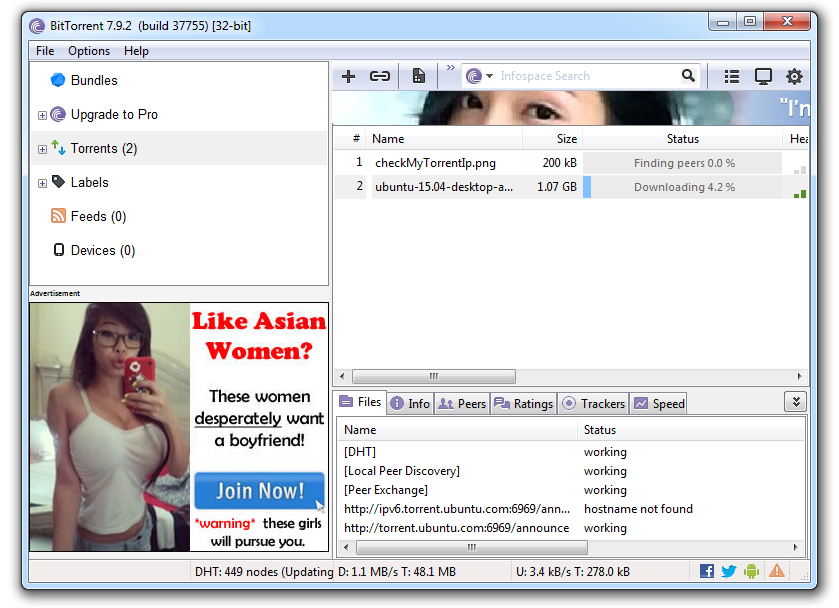
Bittorrent is one of the most used torrent applications on the internet. The company who made Bittorrent also has under its belt, uTorrent. These two applications are identical as Bittorrent bought uTorrent. Now they are one and the same, with two different names.
For a long time uTorrent has reigned king over other torrent applications. It had an excellent interface, plenty of features and was easy to use. But recently, the application has come to attention—and not the good kind either.
uTorrent was found packaging a piece of software into its program onto computers without user permission. This software, named Epic Scale, utilized unused processing power to assert the company’s global push towards questionable charitable causes.
Don’t expect an easy installation process. The application often packages itself with extraneous add-ons that are tough to get rid of and hard to avoid in the installation process. If you manage to get it installed, you can only hope that you aren’t driven man with advertisements (that often start playing without an easy way to stop them). Overall, while the application remains popular, it’s integrity has taken a huge hit. There are much better applications out now with better intentions.
qBittorrent
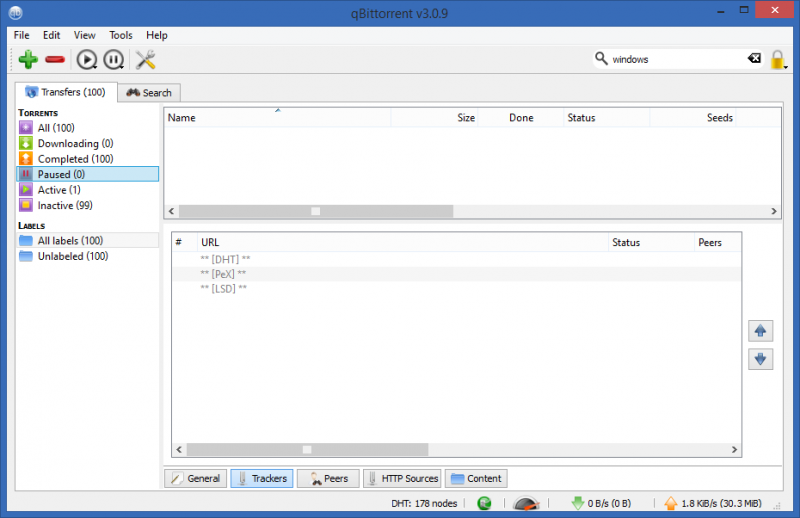
qBittorrent is a better, faster, and all around more honest version of Bittorent (or uTorrent). The application looks very familiar to these programs, and should provide a smooth transition process for users looking to switch over. Upon installation, there aren’t any sneaky add-ons, or adware that get installed without your permission. Expect a speedy and lightweight application overall. The application is also open source.
The program also boasts some exciting features that users might take advantage of—like a media player and a built-in torrent search! This app is also cross-platform.
Tixati

Tixati is another quick and dirty torrent application that lets you just download files. There aren’t too many features that slow down the experience, but the experience itself is a bit lacking. It doesn’t look as nice as other applications, and everything about the application feels a bit cheap. It’s also not open source!
However, the application doesn’t come bundled with crapware. That itself is a huge accomplishment when compared to some of the competitors. The application supports DH, bandwidth throttling, torrent scheduling, and some other extra features. Unfortunately, it’s only available for Windows and Linux.
Remember when I said that privacy could be a concern for torrent users? If you are searching for an extremely easy and affordable way to ensure your security, I recommend checking out Torguard. It’s as simple as entering your login information, clicking connect—then you never have to worry about copyright claims again. TorGuard Anonymous VPN is also great for a multitude of other uses, like getting around country restrictions on the web, or securing delicate information.