This tutorial will show how to decrypt an email using OpenPGP encryption and TorGuard webmail. We assume you have already generated your public key and exchanged keys with the other email recipient.
First, you must register for a Premium or FREE Anonymous Email account from TorGuard.
Please note, you must first import the other recipient’s public key to your own trusted keyring before you can encrypt or decrypt email messages with this person. This is known as “trading keys”.
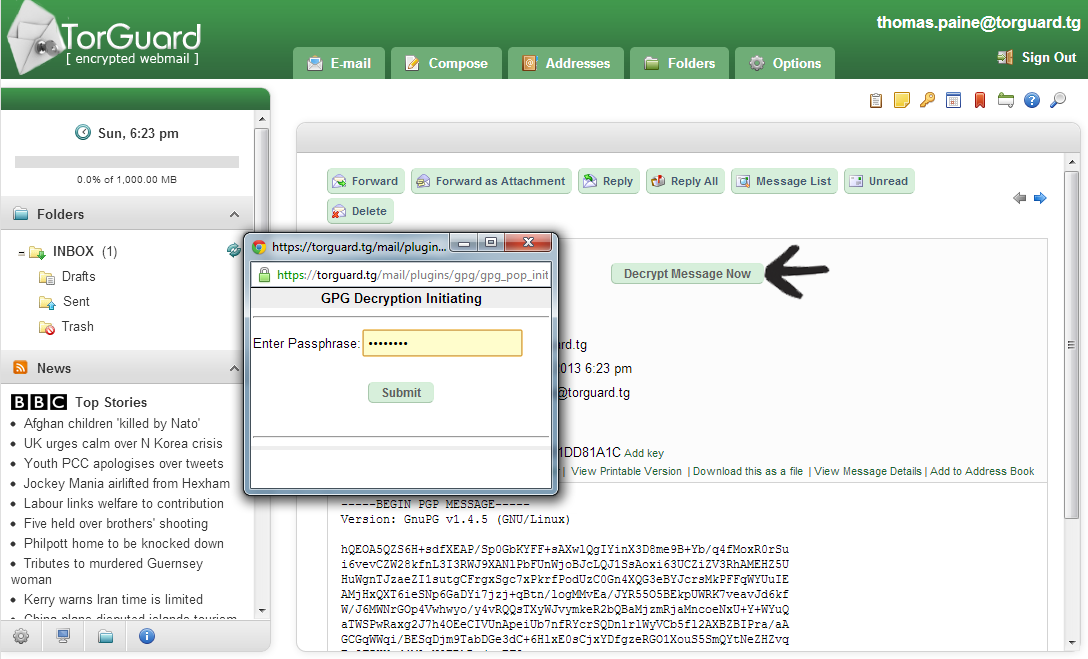
1.) Locate the email message you want to decrypt and select the “decrypt message now” button located at the top of the email. Next, enter the passphrase chosen when you first created your public key. This pass-phrase should be kept a guarded secret.
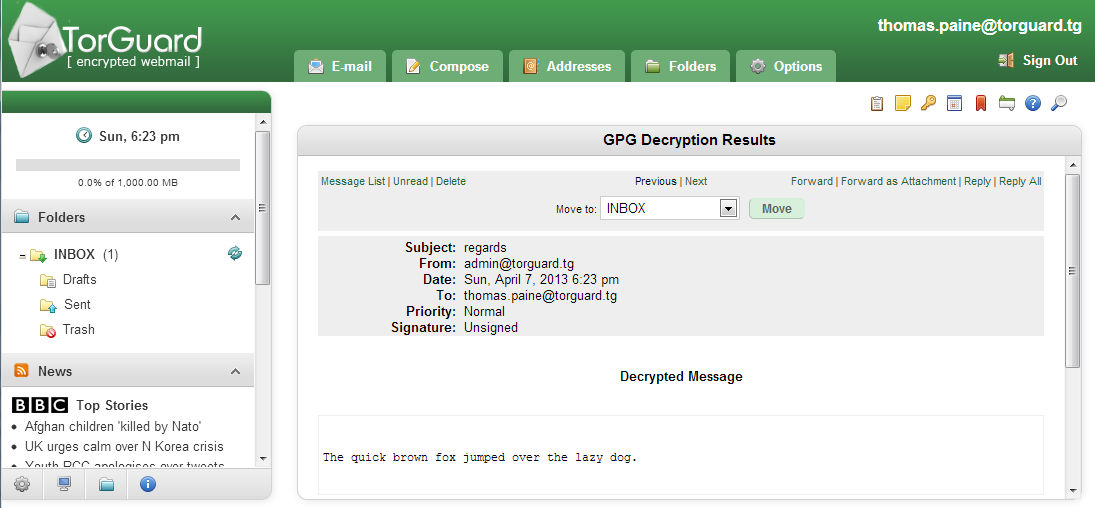
2.) That’s it… The message shows in plain text. Now, just make sure no one is looking over your shoulder 🙂
When combined with secure VPN Service from TorGuard.net, an encrypted webmail account is an excellent way to further secure your private communications.