Most routers you can buy are pretty hefty devices. Sure, they might be able to fit in your backpack, but the ac power adapter, and lugging around a router can be a pain while traveling. When traveling, you will most likely be spending your time browsing the internet or watching Netflix.
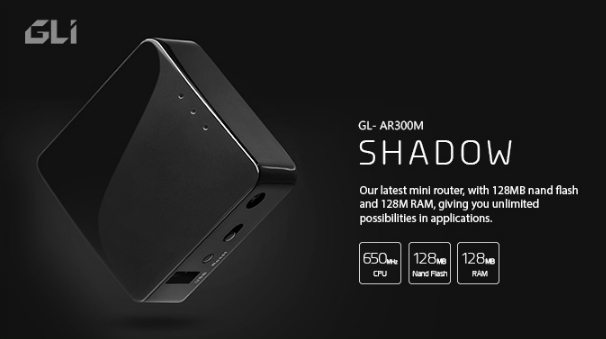
A mini router like the GLI Mini VPN Router GL-AR300m, is a perfect solution for students, digital nomads, or working professionals. It’s small enough to fit in the hand, and you won’t have to fuss with extra adapters and cables since the GL-AR300M only requires a USB adapter (provided with purchase) and ethernet cable.
The GL-AR300m is a small square box that is nondescript enough to be unnoticed in a hotel room, and due to it’s size, it can also be carried in your pocket for securing business meetings or setting up VPN Wi-Fi on the go. (Or just catching up with flix.) With the GL-AR300m, you no longer have to remember confusing Wi-Fi passwords.
Why Use TorGuard VPN Security on a Mini Router?
Whether you want to use the GL-AR300m on the go, or at home, the GL-AR300m will be perfect for browsing or streaming. However, the best part about the GL-AR300m is that it can act like a security powerhouse with Open Source Programmable OpenWRT compatible with TorGuard OpenVPN.
With an OpenWRT router like the GL-AR300m, you can give your house, office, or car full VPN coverage. Every device can connect to the GL-AR300m and have total encryption without the need for using one of TorGuard’s many apps (iOS, Android, Windows, Mac, Linux, Browser).
Since you can connect to the VPN through the Wi-Fi signal, you can also connect smart devices and other devices. If you have a PS4, or Xbox One, or even an Apple TV or Fire Stick, you can use the benefits of VPN easily just by connecting to the GL-AR300m’s Wi-Fi signal.
Additionally, since the GL-AR300m is so small and convenient, you can even bring it with you traveling along with your other devices and they will stay secure with you. Most hotels provide a free ethernet plugin, and free wifi is available everywhere you go.
By using OpenWRT software on your router, you can make sure that snoopers, ISPs, or even malicious neighbors aren’t tracking and stealing your data. When you’re out and about, you can be sure you’re connecting to a secure Wi-Fi connection which means your business or personal data remains safe and encrypted.
How to Setup TorGuard Mini Router
Setting up a mini router like the GL-AR300m is quite easy. It’s similar to setting up any other router, but this time you’ll be setting it up through a GLi interface or OpenWRT menu and uploading VPN configs so you can turn it into a VPN router.
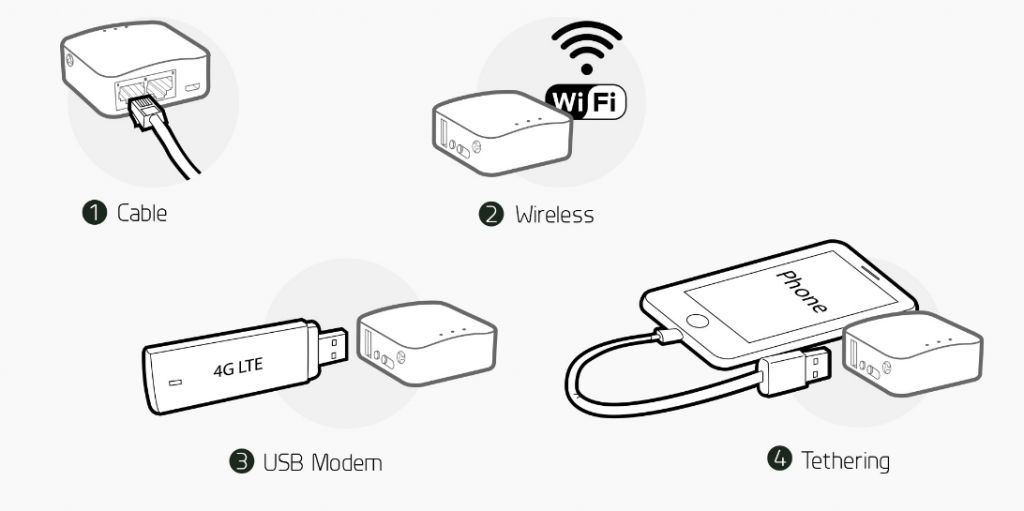
The first steps you’ll need to do is connect your mini router to your ethernet cable connected to your modem. Connect the ethernet cable into the “WAN” port and then plug in the power cable. If you want to connect your computer to the mini router, connect another ethernet cable to the “LAN” port. You can also connect via wifi, USB modem, or phone tethering.
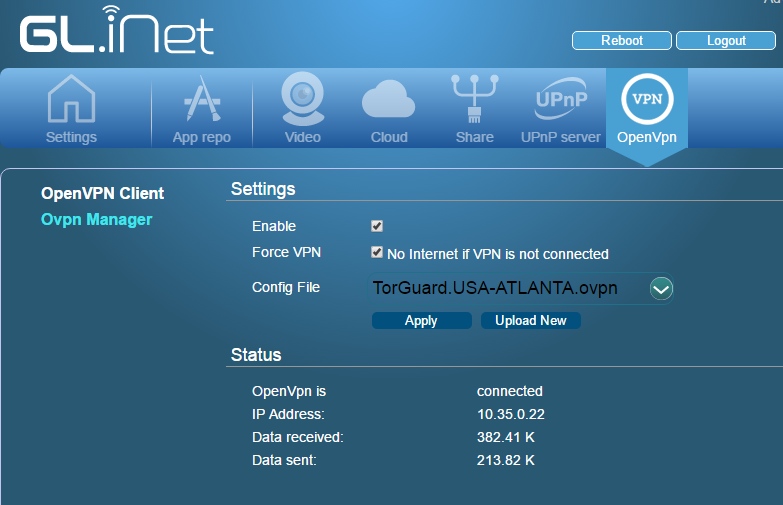
From here, you’ll need to go to the website to setup your mini router. Go to “192.168.8.1”. Once here, you’ll find the GL.iNet website interface. Simply pick your time zone, and then click on the OpenVPN tab. From here, go to the TorGuard Downloads page and download the OpenVPN UDP config files.
Once you download the zip, simply drag and drop the .zip file into the Upload section. From here, enter in your VPN information. Once this is done check the box “Enable” then also check “Force VPN” box. From here, you should see a connection process and if you want to verify your IP, go to myip.tg to make sure the IP is not your regular IP. This is how you know the connection is working!
Once this is all done, you’re connected to TorGuard VPN from your router! Now, every device that connects will be encrypted!