It is no secret that most major 4G cellphone providers have stopped offering tethering as an “included” part of one’s plan. This now means that the customer has to purchase an added “tethering” plan in order to access the internet on a laptop, desktop or other device. When using TorGuard’s Android VPN services, it is possible to encrypt one’s internet traffic and gain unlimited tethering access without your carrier knowing. This article will show in a few easy steps how unlimited tethering access can be unlocked on any carrier:
Step 1
The method discussed here will work on almost any rooted or unrooted Android device to date. First, we must install ClockworkMod Tether to setup tethering access via the Android device. ClockworkMod Tether is a USB tether solution for Mac, Windows, and Linux systems that allows one to use their phone’s data connection to gain internet access on a desktop or laptop. The premium version can be downloaded in GooglePlay for just 4.99 and the free version apk can be obtained directly from here. Of all the tethering apps our staff has tested, ClockworkMod tether has proved to be the most reliable and affordable tether app available. Further, because the tether app connects to the device via USB the batter won’t be drained rapidly even under heavy usage.

Step 2
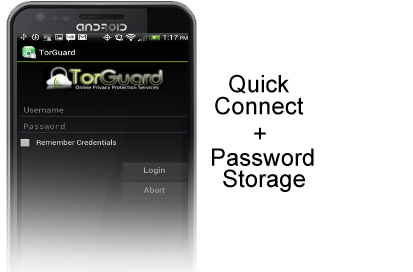
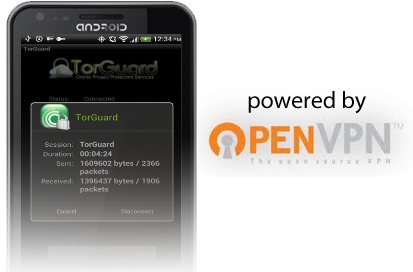
Next, we have to setup the anonymous VPN tunnel on the android device so the traffic is encrypted and hidden from the provider. TorGuard provides unlimited VPN services for as low as $4.99 per month and also offers a free OpenVPN app for Android users in Google Play. First, download the “TorGuard VPN” app from Google Play and install onto your rooted or unrooted Android device. Launch the TorGuard app and select the VPN server you wish to connect to. For fastest speeds select a UDP labeled server in the country closest to your location. Next, enter your VPN username and password and tap “Login”. Congratulations, your Android device is now connected to the VPN tunnel! As long as the TorGuard app is running, the entire internet session will be encrypted and tunneled through the secure server of your choosing. Not even the provider can tell that your internet connection is being used for tethering access.
Android VPN Setup – Download the TorGuard VPN app for FREE on Google Play…