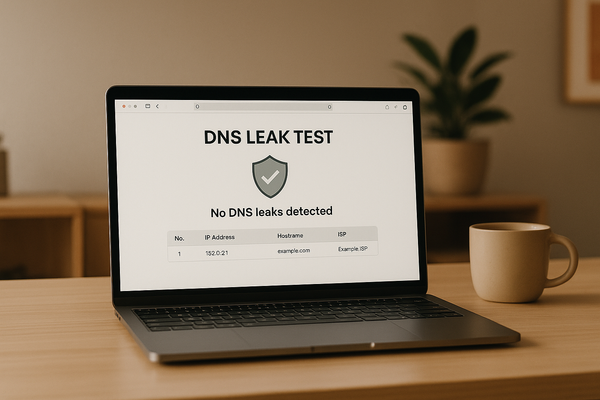
DNS Leaks can hurt your online anonymity while using a VPN. When your IP leaks out of your VPN you can potentially leak valuable information about your identity, like your personal IP address or what websites you visit. Imagine VPN as the “roof” of your house, and cracks in the ceiling as “IP leaks”. Sure, it might not rain the next day, or the next day, but someday it’s going to rain and your living room is going to be flooded. In the same way you don’t want cracks in your roof, you don’t want any cracks in your VPN OPSEC.
It’s extremely valuable to keep all of your online activities anonymous and private with your VPN. If you’re not encrypting your data using a VPN, your information can be collected and used easily on the internet by advertisers and your internet service provider. You need to make sure that ALL of your traffic originating from your computer is being routed through your VPN. However, if any information leaks gets outside of your VPN, anyone monitoring your activity can log your activity or your location, or what websites you are looking up. Therefore, you need to make sure that your VPN is DNS leak-free.
In order to test if your VPN is leaking, TorGuard has designed a special page that has a DNS Leak Test tool to examine if your VPN is leaking DNS requests.
How do DNS Leaks Happen?
Usually, when you visit a website, the Dynamic Name System that is used to point to websites takes place with your internet service provider. When you use a VPN, the request gets sent through your VPN tunnel with your VPN provider’s DNS. If you run the DNS leak test and you see any servers from your personal ISP, that means you have a DNS leak which means your anonymity could be compromised.
If you’re not using a VPN, you’re announcing DNS lookup requests everywhere you go. However, there are still ways to leak your IP through DNS if you’re using an unstable VPN or poorly configured VPN software. DNS leaks can happen if you aren’t using TorGuard’s native app and choose third party VPN software. For this reason it is always good to check regularly for IP leaks and for best security we always recommend using TorGuard’s OpenVPN and OpenConnect VPN application.
How does TorGuard Prevent DNS Leaks?
TorGuard has been built to protect your anonymity every step of the way. This is why we’ve built in measures to protect your personal IP from leaking through DNS. The best part is that protecting against IP DNS leaks with TorGuard is completely automatic. When you connect to TorGuard VPN, you use our servers’ private no log DNS which is how your own information and web lookup requests remain private.

When you use TorGuard VPN, you are using TorGuard’s very own no log DNS servers. TorGuard’s servers are fast, we don’t keep logs, and we encrypt all of the traffic end to end with AES-256 encryption. TorGuard’s VPN app is setup by default to tunnel all DNS requests through TorGuard’s own VPN servers, so no action is needed to prevent leaks for first time users.
To prevent DNS leaks in TorGuard–just make sure you are connected. Additionally, you can make sure that in your “Network” settings on the “more settings tab” you have “Prevent IPV6 Leaks” checked. This feature completely disables all IPv6 access while the TG VPN is active. However, this feature is already toggled by default.